What KeyCapy is
Updated
KeyCapy is a single-player simulation, still unreleased, about running a small custom-keyboard business. The customers are capybaras. Steam’s short description says you assemble new boards, design your own, or clean and repair old ones, and that the parts you choose change the sound. That is the whole pitch. It is not a strategy guide, because the full game is not out.
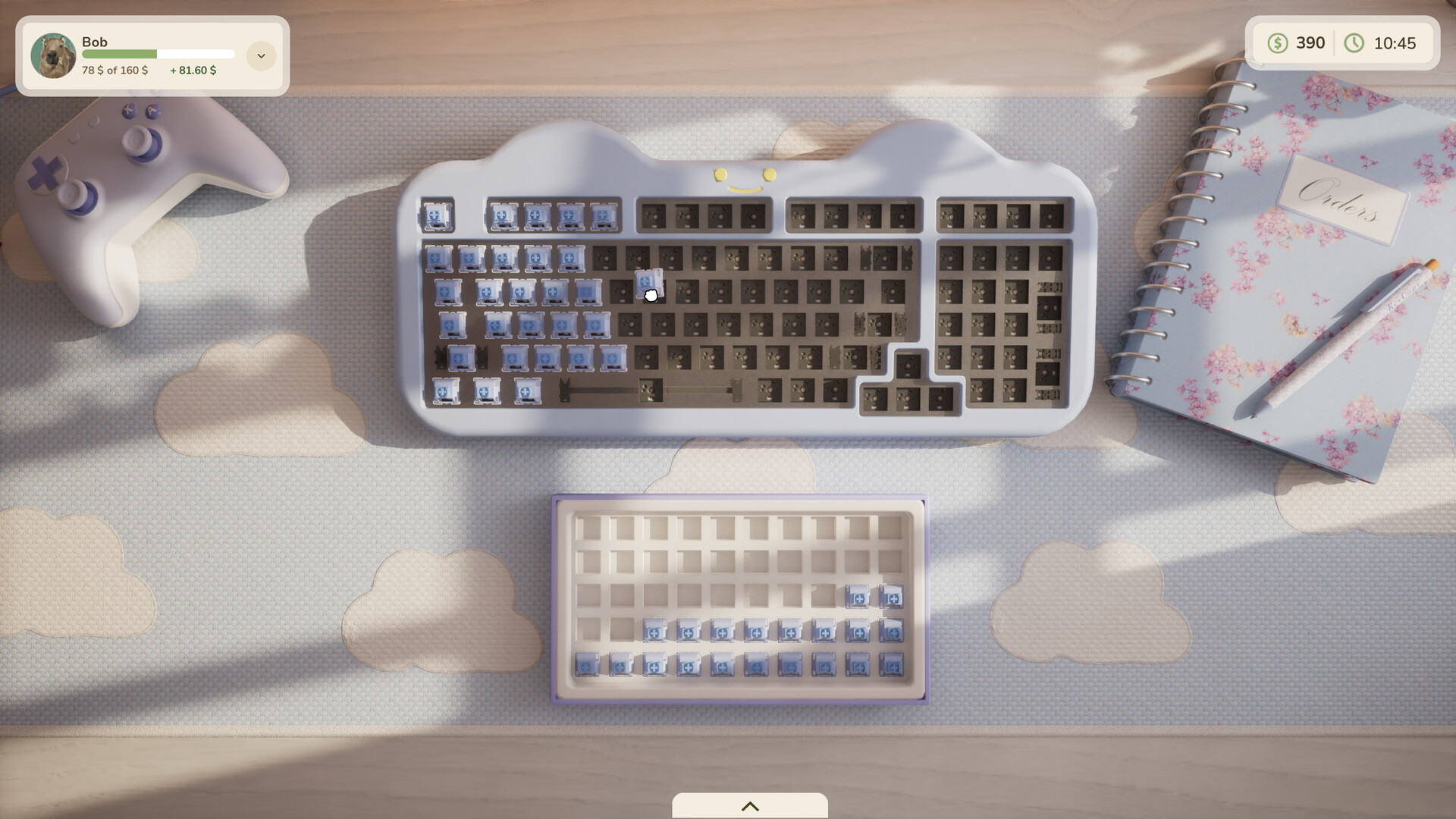
The workshop loop Steam describes
The about text says you fill specific orders by assembling, cleaning, and modding, and that you choose the case, the switches, and the keycaps. A separate line says the sound depends on the switch type, the keycap material, and whether the case is plastic, metal, or wood. The marketing word THOCK appears in that copy as a slogan for the sound you are aiming at. It is not a measured result, and there is no published “best sounding” recipe to follow.
The feature list on the store page is the right scope for what has been announced. Read it as a plan, not as a checklist from a save file.
| Feature | What the store copy promises |
|---|---|
| Custom builds | Assemble boards from different components, layouts, and keycap profiles |
| Tactile building | Place parts by hand, with the store describing the feedback as responsive |
| Adaptive audio | Switch type, keycap material, and a plastic, metal, or wood case each change the sound |
| Capybara clients | Orders come from capybaras, and the copy says each client has a story |
| Cleaning | Clean keyboards that are dirty or dusty |
| Repairs | Fix keyboards that are broken |
| Day and seasons | Time of day, seasons, and weather are described as changing while you play |
| Workspace | Decorate the desk; named examples are desk mats, monitors, plants, and lamps |
Cleaning and repairs are their own bullets, next to new builds. The store also says parts are placed by hand. No control diagram is published, so there is no binding list here. Platforms and specs does record that the store marks the game playable at your own pace, with save anytime, and without timed input.
Who it is for, in the store’s words
The description says the game is by a keyboard enthusiast, for the keyboard community, for cozy-game players, and for people who are curious about custom keyboards. The official factsheet calls the genre “Cozy Simulation, Management.” Steam’s genre line is Casual, Indie, and Simulation. Both labels are on official pages, and they are not the same list. Store tags add a longer cloud that includes Cozy, Management, Building, Crafting, and Immersive Sim. Tags are not the genre field. Use the genre lines when you need a category, and treat the tag cloud as Steam’s tag row.
The customers, the reputation rewards, and the desk decorations are a second topic. They are written up on Clients and workspace, with the screenshots that actually show a messages window and a desk. The workshop loop is the subject here.
What you should not invent from the pitch
Layouts, keycap profiles, and materials are named as categories in the feature text. Individual set names that show up inside a store screenshot are described on Trailer and screenshots as labels visible in that image. They are not copied here into a shopping list with stats. No drop rates, no hidden switches, and no tier list of parts. The full game’s status is on Release date. If you came here wanting to play, the only current signup is the Playtest request, and a request is not a copy of this loop in finished form.
Verdict: Take the announced loop at face value: build, clean, repair, and mod keyboards for capybara orders, with sound tied to switches, keycap material, and case material. Do not hunt for a best build until there is a released game and real player data. Wishlist from the release page if that loop is enough.
FAQ
Is KeyCapy a typing tutor?
No. The store pitch is a workshop sim. You assemble and service keyboards. It does not present itself as a lesson in touch typing.
Is it multiplayer?
Steam lists single-player. Co-op and multiplayer categories are absent.
Does every keyboard sound different?
That is the store’s claim: switch type, keycap material, and a plastic, metal, or wood case change the sound. THOCK is the marketing word for the result, not a lab measurement.
Can I play this loop today?
Not as a finished release. See Release date and Common questions. A playtest request is optional and separate.
Sources: Steam store description, keycapy.com factsheet